


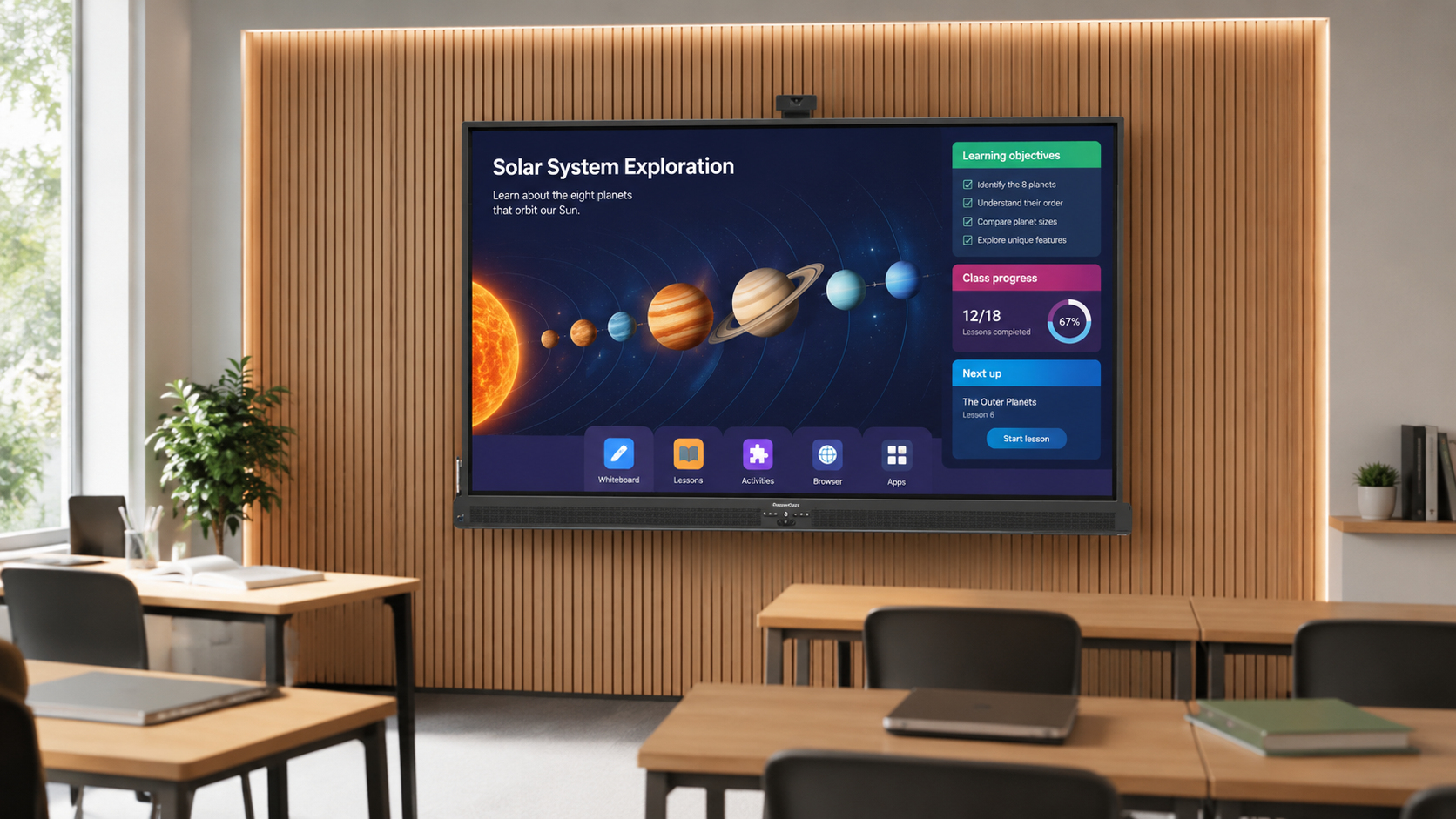
Digital Whiteboard Uses and Benefits
If you are wondering what digital whiteboards are used for, this guide explains the main digital whiteboard uses and how they can turn a meeting room, classroom or training space into a more interactive place to present, teach, discuss and collaborate.
Instead of only showing content like a standard TV or projector, a digital whiteboard lets users write on the screen, annotate documents, share content wirelessly, save notes and work together on one large touchscreen display.
This guide covers the main digital whiteboard uses and benefits for business, education and training, and helps you decide whether an interactive digital whiteboard is the right choice for your space.
What Is a Digital Whiteboard?
A digital whiteboard is a large interactive touchscreen display used for presentations, meetings, teaching, training and collaboration. It usually combines a 4K display screen, touch control, annotation tools, wireless screen sharing and whiteboarding software.
Users can write directly onto the screen with a finger or stylus, display content from a laptop or tablet, mark up documents, use built-in apps and save or share notes after the session.
Common Digital Whiteboard Uses
The most common digital whiteboard uses include business meetings, classroom teaching, staff training, sales presentations, workshops, project planning, brainstorming, design reviews and hybrid collaboration.
The main advantage is that the screen is not just for viewing. It becomes a shared working surface where people can present, discuss, annotate and interact with content in real time.
Digital Whiteboard Benefits
The main benefits of a digital whiteboard are improved engagement, easier collaboration, wireless presenting, on-screen annotation and the ability to save or share notes after a meeting, lesson or training session.
For businesses, this can make meetings more productive and reduce reliance on cables, printed handouts and separate whiteboards. For education and training spaces, it can make lessons and sessions more visual, interactive and easier to follow.
A digital whiteboard is especially useful when people need to do more than simply watch content. It helps presenters, teachers, trainers and teams explain ideas, mark up information and work together on one large interactive touchscreen.
Why Are Digital Whiteboards Good for Business?
Digital whiteboards can help businesses make meetings, training sessions and presentations more productive. Instead of simply displaying slides, teams can share content wirelessly, annotate ideas in real time, save notes and involve more people in the discussion.
They are especially useful for boardrooms, meeting rooms, training spaces, project planning sessions, sales presentations and hybrid collaboration. For businesses that regularly present, train, plan or review information as a team, a digital whiteboard can make the room more flexible and easier to use.
Digital Whiteboards for Business Meetings
In meeting rooms and boardrooms, digital whiteboards are often used for presentations, strategy sessions, sales meetings, project updates and team briefings.
Wireless screen sharing allows different people to present from laptops, tablets or smartphones without constantly swapping cables. This is useful when several people need to contribute during the same meeting.
Teams can also annotate over slides, highlight key points, map out ideas and save notes from the session, making the meeting more useful after everyone leaves the room.
Digital Whiteboards for Classrooms and Education
In classrooms, colleges and universities, digital whiteboards help make lessons more visual and interactive. Teachers can display lesson content, write notes, annotate diagrams, show videos, open websites and invite students to interact with the screen.
They are useful for subjects where visual explanation helps, such as science, maths, design, geography, engineering, business studies and languages.
For education users, the best digital whiteboard will depend on software, screen size, touch performance, reliability and how easily teachers can use it day to day.
Digital Whiteboards for Staff Training
Training rooms are one of the strongest use cases for digital whiteboards. Trainers can present slides, explain processes, mark up documents, demonstrate software, open websites and capture notes during the session.
This makes them useful for staff inductions, health and safety training, product training, compliance sessions, workshops and professional development.
For regular training environments, a digital whiteboard can make sessions feel more practical and engaging than a standard presentation screen.
Digital Whiteboards for Presentations
A digital whiteboard can be used as an interactive presentation touchscreen. This means you can still show PowerPoint slides, PDFs, websites, images and videos, but you can also write over them, highlight details and move between content more naturally.
This is useful for sales presentations, client meetings, pitches, demonstrations, planning sessions and internal briefings where the presenter needs more flexibility than a normal display screen provides.
Digital Whiteboards for Collaboration and Workshops
One of the most valuable digital whiteboard uses is collaboration. Instead of one person controlling the screen, several people can contribute ideas, write notes, move items around and interact with the display.
This works well for brainstorming, project planning, customer journey mapping, design reviews, workflow planning, agile meetings and team problem solving.
For hybrid meetings, many users also want to share content from devices, capture notes and make the session easier to follow for people joining remotely.
Digital Whiteboard vs TV, Projector or Traditional Whiteboard
A standard commercial display or TV is mainly for showing content. A projector can work well in some rooms, but image quality often depends on lighting, screen position and maintenance. A traditional whiteboard is simple and low cost, but it cannot display digital content or save notes without extra steps.
A digital whiteboard sits between presentation screen, touchscreen display and collaboration tool. It is usually the better choice when people need to present, write, annotate, share content and work together on the same screen.
If your room only needs passive video playback or signage, a normal commercial display may be enough. If the room is used for meetings, teaching, training or group working, a digital whiteboard is usually more suitable.
What Features Should You Look For?
Important features to consider include screen size, 4K resolution, brightness, touch points, wireless screen sharing, annotation tools, built-in software, device compatibility, speakers, connectivity, warranty and support.
You should also think about whether users need Windows functionality, whether the screen will be wall-mounted or used on a mobile trolley, and whether the display needs to work with existing meeting room or classroom systems.
What Size Digital Whiteboard Do You Need?
The right screen size depends on the room size, viewing distance and how much detail people need to see. Common sizes include 55″, 65″, 75″, 86″ and 98″, depending on the model.
Smaller meeting rooms may suit 55″ or 65″ screens. Classrooms, boardrooms and training rooms often benefit from 75″ or 86″ displays. Larger lecture rooms, conference spaces and presentation areas may need a larger screen so text and detail remain clear from further away.
Are Digital Whiteboards Worth the Investment?
Digital whiteboards are worth considering when a room is used regularly for meetings, presentations, teaching, training or collaboration.
They are especially useful where people need to do more than simply view content. If users need wireless sharing, annotation, saved notes, multi-touch interaction and a more engaging way to present, a digital whiteboard can offer much more than a standard screen.
Choosing the Right Digital Whiteboard
The best option depends on your room, users, budget and software requirements. A school may prioritise teaching tools and education software, while a business may care more about wireless sharing, meeting room use, Windows compatibility and ease of installation.
W&Co supplies a range of interactive digital whiteboards, including SMART Board Digital Whiteboard, Promethean Digital Whiteboard, iiyama Interactive Whiteboard and Connect Digital Whiteboard options.
Understanding the main digital whiteboard uses can make it easier to choose the right product for your classroom, meeting room, training space or presentation area.
Digital Whiteboard FAQs
What is a digital whiteboard used for?
A digital whiteboard is used for presentations, meetings, teaching, training, annotation, wireless screen sharing and group collaboration.
What are the main digital whiteboard uses?
The main digital whiteboard uses include classroom teaching, business meetings, staff training, presentations, workshops, brainstorming, project planning and collaborative working.
Can a digital whiteboard replace a projector?
Yes, in many rooms a digital whiteboard can replace a projector by providing a bright 4K touchscreen display with annotation, wireless sharing and interactive tools.
Can a digital whiteboard replace a normal whiteboard?
Yes, if you want to write on screen, save notes, display digital content and share work after a session. A traditional whiteboard may still be enough for very simple writing-only use.
Can you use a digital whiteboard for business meetings?
Yes. Digital whiteboards are commonly used in meeting rooms, boardrooms and offices for presentations, planning, workshops, sales meetings and team collaboration.
Are digital whiteboards only for schools?
No. Digital whiteboards are widely used in schools and colleges, but they are also useful in businesses, training centres, healthcare settings, public sector environments and professional meeting spaces.
Do digital whiteboards support wireless screen sharing?
Many digital whiteboards support wireless screen sharing from laptops, tablets and smartphones, although the exact features depend on the model and software used.
Which digital whiteboard is best?
The best digital whiteboard depends on the room size, users, software needs, budget and whether it will be used mainly for education, business meetings, training or collaboration.
Please contact W&Co if you would like help choosing the right digital whiteboard for your classroom, meeting room, training space or presentation area.